GoPros to Avoid
GoPro still sells the Hero 12, and there are plenty of Hero 11s and even Hero 10s out there for sale on the internet (typically from shady, nonsense-named Amazon retailers). We suggest avoiding all of them. They may work fine, but they’re usually not much cheaper than the Hero 13.
The Best GoPro Accessories
Photograph: Scott Gilbertson
Should you buy a bundle? Generally, I say no. Get the camera, figure it out, and see how you end up using it. When you find yourself trying to solve a problem, start looking for an accessory. Here are some of my favorite things that I’ve tested and used, but if you have favorites you think I should try, drop a comment below. Note that most of these mounts will work just fine with the new Mission 1 series camera, where there are differences I’ve added a note about it.
A Good MicroSD card for $50: According to GoPro’s recommendations, you want a microSD card with a V30 or UHS-3 rating. That said, GoPros can be finicky about SD cards. I’ve had good luck with, and recommend this Samsung Pro Plus model. Another card I’ve used extensively is the SanDisk Extreme Pro.
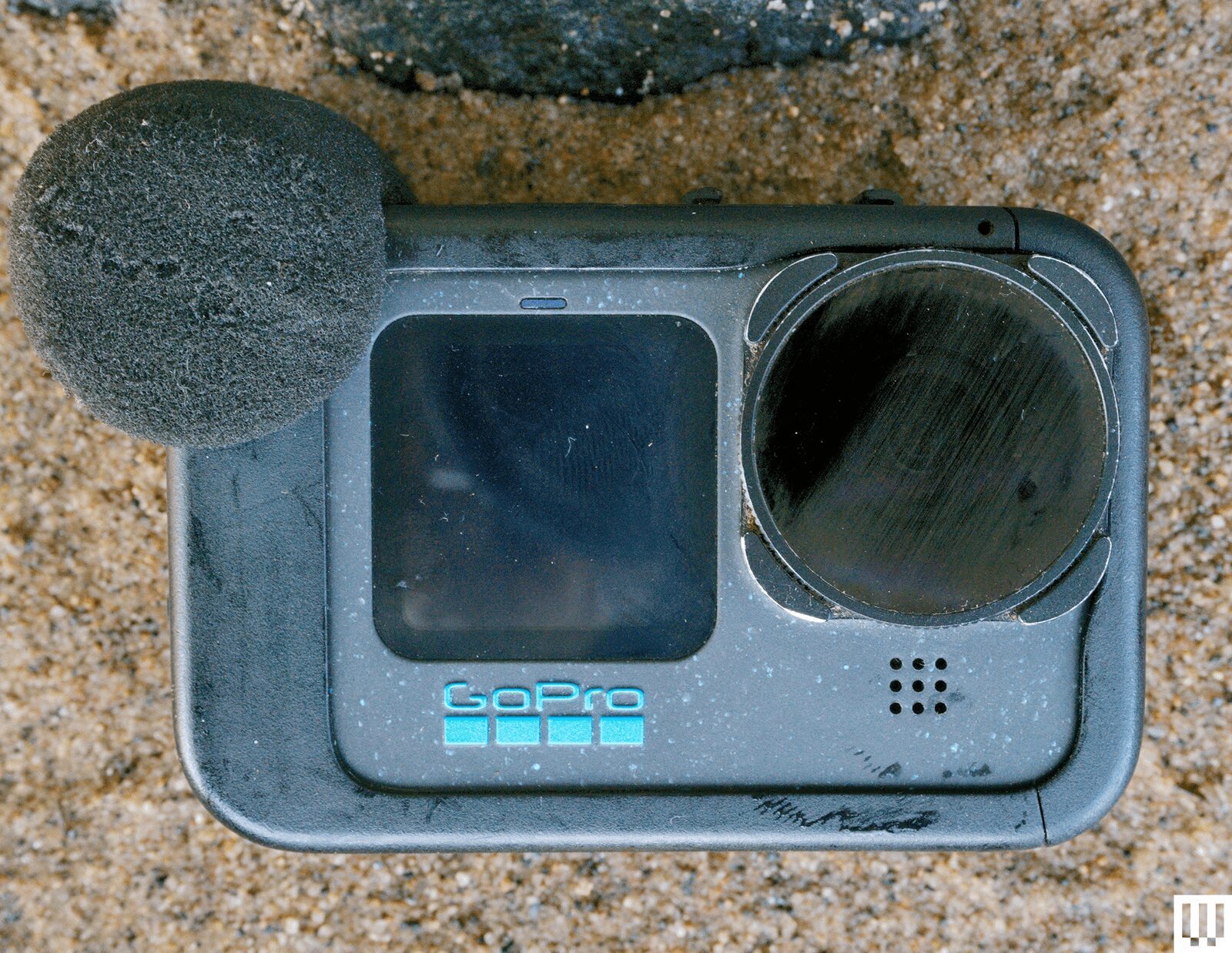
GoPro Media Mod for $100: By far my most-used accessory, the media mod does add some bulk, but in most cases this is more than made up for by the fact that you can plug into a real microphone (I use mine with a Rode Wireless). Sound quality is radically improved with this one. This may be less necessary if you get the Hero 12 or later, since those models do have support for Bluetooth mics, but Bluetooth sound quality is rarely good. The Mission 1 Pro supports USB mics out of the box, no need for a Media Mod, although there is one available. The Media Mod for the Mission 1 cameras ($150) adds an HDMI port for video monitoring in 4K.
GoPro Handlebar Mount for $40: I’ve been doing a lot more riding lately, and this mount pretty much lives on my bike these days. It’s been rock solid in my testing, and beats any of the third-party mounts I’ve tested.
GoPro Floaty for $35: If you’re getting anywhere near the water, grab one of these. Trust me, you will drop your GoPro, and when you do, you will be glad you have this (unless the water is clear and you’re a good free diver). GoPro originally listed this as compatible with the Mission 1 Pro. I could not get my test unit in the Floaty, and then the support listing disappeared off the GoPro website. For now it seems like you’ll have to settle for one of the Amazon knockoffs for the Mission 1. GoPro also makes a Floating Hand Grip ($23), which not only floats but has a leash for diving or surfing.
GoPro Selfie Stick for $80: This 48-inch extension pole collapses into something surprisingly small and isn’t very heavy. It’s the best selfie stick I’ve used. I rarely use it for selfies, but it makes a great monopod on soft ground, like a sandy beach.
DaVinci Resolve Studio for $300: This is my video editing software of choice. There is a free version, but I got tired of converting media to fit the restrictions of the free version. Best money I ever spent when it comes to making better videos. I have found that the latest LLM-powered sharpening tools in Resolve pair very well with GP-Log2 footage from the Mission 1 Pro.
Do More With Your GoPro


GoPro Hero 13 Black in color White with the Anamorphic Lens attachedPhotograph: Scott Gilbertson
So you bought a GoPro, now what? Well aside from reading the manual and learning how to control it, the best thing to do is get out there and experiment. Here are a few suggestions and things I use my GoPro for regularly.
GoPro Labs: GoPro Labs is an alternative firmware for your GoPro Hero camera that enables all sorts of features and experiments that allow you to do things you can’t do with the stock firmware. There is some risk of instability and bugs, but I’ve been using the Labs firmware for five years now and never had an issue. It’s like adding 10 new features to your GoPro for free. I’ll reference several of my favorites in the sections below, but you can see the full list of things you can do with GoPro Labs on the GoPro Labs website.
Time-Lapse Videos: After mounting the GoPro on my bike, this is my most used feature. GoPro’s time lapse is incredibly easy to use (compared with most mirrorless cameras anyway), and with the Labs firmware you can do really long time-lapse shots, over 24 hours if you have a battery pack to help power it.
Raise the Bitrate: By default the Hero 13 Black does not record at the highest bitrate. This is likely the reason your video looks mushy and not as clear and sharp as it should. Change that by going to the ProTune settings and pick “high” for the bitrate. If you want to go crazy you can use Labs to raise your bitrate all the way the 200 (the “high”setting in the stock firmware is 100). The caveat is that depending on your SD card, you may not be able to record that high. But every bit helps. The trade off is that cranking up the bitrate does chew through battery and can also lead to overheating, so if you’re shooting in very warm conditions, you might want to dial this down. Some footage is better than no footage because you overheated and the camera shut off.
Learn Manual Exposure: The Hero 13 Black gives you full control over exposure, so take advantage of it. Play with the exposure compensation especially (called EV Comp in the settings). Try dialing it down to -1 for midday shots. Also play with max ISO. The lower you can keep this, the better your footage will look, though because the GoPro kinda sucks in low light, there are some limits here.
Improve Sound With the Media Mod: It bears repeating, but the Media Mod is the best way to get good sound out of the GoPro without investing in Bluetooth mics (which is impractical in many mounting scenarios anyway). The only time the media mod leaves my GoPro is when I’m in the water (sadly, the Hero with the media mod installed is not at all waterproof).
Is Now a Good Time to Buy?
Probably. GoPro released its new Mission 1 cameras earlier this summer, but there’s no sign of a Hero 14 so far. Typically GoPro releases new Hero cameras in late September/early October, but with the Mission 1 series just hitting the market, it seems very possible that we will not see a new Hero camera this autumn.
Power up with unlimited access to WIRED. Get best-in-class reporting and exclusive subscriber content that’s too important to ignore. Subscribe Today.