Samsung One UI 9 beta expands in India: eligible phones and installation risks

Samsung is expanding its One UI 9 beta programme to more Galaxy devices during September, with India among the selected markets. Registration is handled through the Samsung Members application, but availability and timing can vary by model, country and carrier.
Galaxy phones named for the expansion
- Galaxy Z Fold7
- Galaxy Z Flip7
- Galaxy S25
- Galaxy S25+
- Galaxy S25 Ultra
- Galaxy S25 FE
Samsung began testing One UI 9 with the Galaxy S26 series earlier in 2026. The software is based on Android 17. A phone appearing on the eligibility list does not guarantee that the beta invitation will appear for every Indian user on the same day.
What One UI 9 is testing
Samsung’s initial beta announcement described new drawing and decoration tools in Samsung Notes, direct Creative Studio access from Contacts and a redesigned Quick Panel with more independent layout controls for brightness, sound and media.
Accessibility changes include adjustable Mouse Keys speed, a combined TalkBack package and Text Spotlight, which presents selected text more clearly in a floating window. Samsung also says security-policy updates can warn about newly identified high-risk applications, block their execution or installation and recommend removal.
A later S26-series beta update added My FanCam, expanded Now Brief cards and more contextual Now Nudge suggestions. Those features can require a Samsung account, network connection or supported application, and Samsung does not guarantee the accuracy of every AI-generated result. Users joining on other models should not assume every S26 test feature will arrive immediately.
How to check for the beta in India
- Update the Samsung Members app from an official store.
- Sign in with the Samsung account used on the Galaxy phone.
- Look for a One UI 9 beta notice or banner inside Members.
- Read the programme terms and back up important files before enrolling.
- After registration, check Settings, Software update and Download and install.
Why a backup matters
Beta software is intended for testing. It can contain battery, camera, connectivity or application-compatibility problems. Banking, UPI, work-profile and security-sensitive apps may not behave exactly as they do on stable firmware. People who depend on one phone for work, travel or payments should consider waiting for the stable release.
Leaving a beta programme or returning to stable firmware can require a reset, depending on Samsung’s process for that release. A verified backup is therefore more important than simply enabling cloud synchronisation and assuming every application has saved its data.
How to interpret a staged beta rollout
Samsung’s announcement identifies eligible device families and countries, but it does not promise a single release moment for every handset. Registration can be limited while the company monitors stability, and carrier-specific models may follow a different schedule. An owner should rely on the notice displayed inside Samsung Members for that exact device rather than a screenshot from another market.
Feature availability can also differ by hardware. A capability demonstrated on the Galaxy S26 series may depend on sensors, processing resources, language support or application versions that are not identical on the Fold7, Flip7 or S25 range. The expansion notice confirms participation in the programme; it does not guarantee that every experimental feature is present in every build.
A sensible test-device checklist
Before installing, users should confirm that photos and documents can be restored, record any authenticator or recovery-code requirements, and check whether employer management software permits beta firmware. After installation, reporting reproducible faults through the official beta channel is more useful than assuming a temporary problem will remain in the stable release. Anyone unable to tolerate a reset, missed payment or unreliable call should keep a primary phone on stable software.
Sources: Samsung’s September expansion notice; original One UI 9 beta feature announcement; S26 beta feature update.
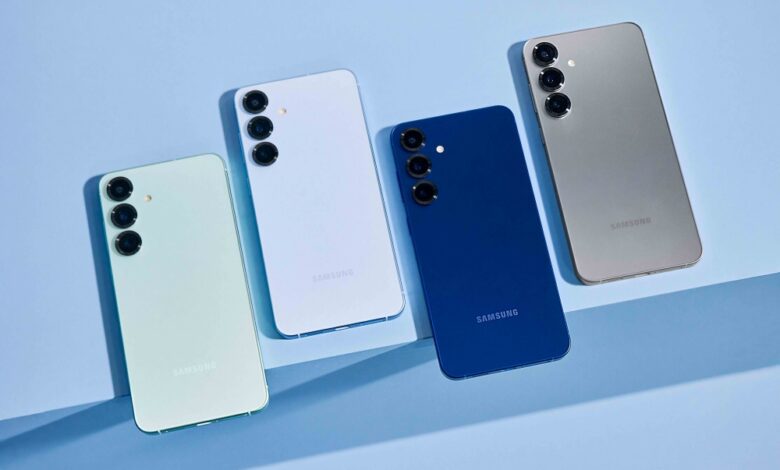
Galaxy S25 devices, among the phones named for the expanded beta. Official product image: Samsung.